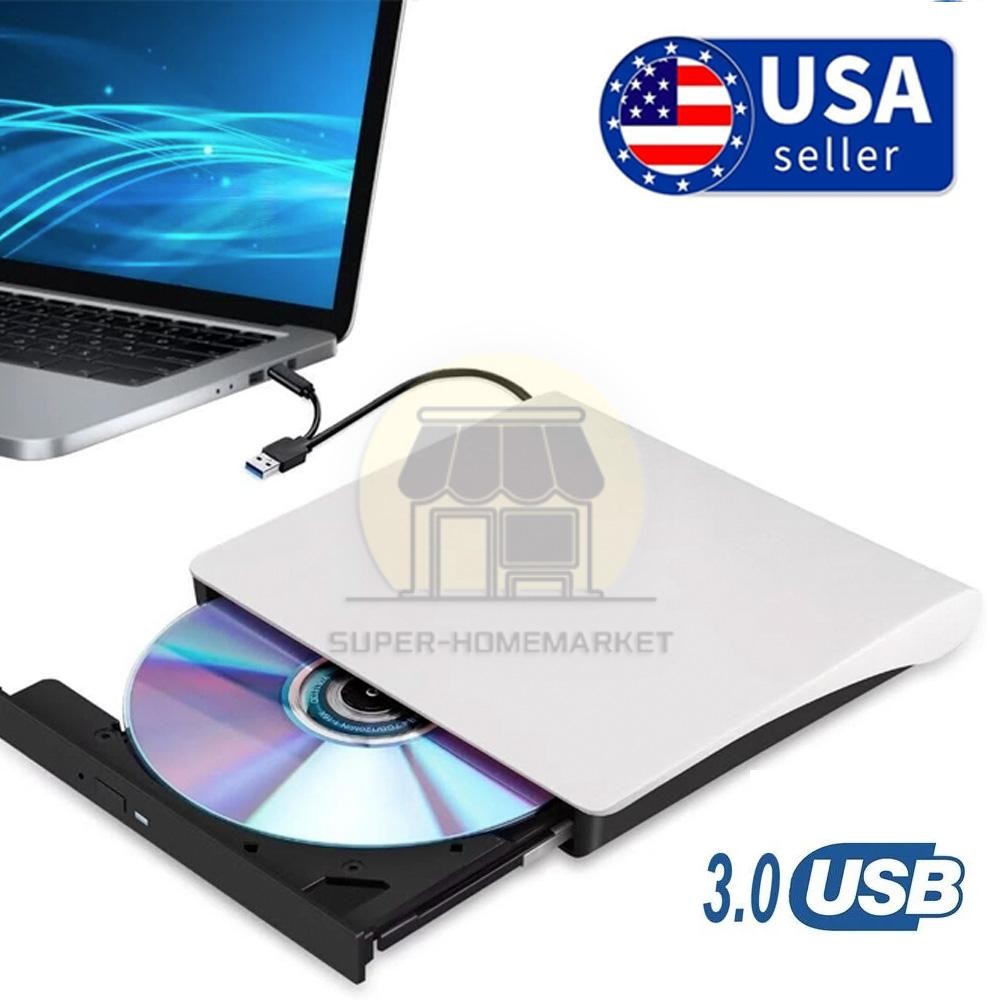
7in1 External Cd Dvd Drive Usb 3.0 Writer Burner Player
For Laptop Windows 11 10
USD $27.88
Condition : New
Free Shipping

Notify me when the price drops
We will email you if we find a lower price on this product!
dreamdealnew
External CD DVD Drive for Laptop USB C Portable CD/DVD +/-RW Burner DVD Player for Laptop with SD Card Reader USB 3.0 Type C Hub Compatible with Laptop PC Windows Linux
Features:
1.External CD DVD Drive:This external dvd drive not only reads CDs and DVDs, but can also be used as a USB hub. Including 1*USB 2.0 Port, 1* USB 3.0 Port, 1*Type C Port, 1*SD Card Slot.The USB Hub makes it easy to connect the mouse, keyboard and other USB devices. You can also use the card reader function to transfer your photos, videos or data to PC.
2.High-Speed USB3.0/Type C DVD Player for Laptop: The portable CD DVD drive utilizes USB 3.0 technology and is backward compatible with USB 2.0. It supports data transfer rates up to 5Gbps. The cd/dvd drive offers Max 8x DVD Read Speed and Max 24x CD Read speed, faster than you expected.
3.Widely Compatible:This external cd drive supports Windows 11/10/8/7, Linux, Mac OS and so on. (NOT SUPPORT:TV/Car/Tablet/Smartphone/Blu Ray Disc/Chromebook/Windows Surface.) And support for reading and writing CD±R/RW, DVD±R/RW, CD-ROM, DVD-RAM, VCD, and SVCD.
4.Compact and Portable: Portable CD DVD drive with USB A + USB 3.0 ports. Built-in cable storage allows for more organization in storing products. And with a slim and portable design. Whether you are traveling or working at home, it is the ideal partner.
5.Plug and Play: This CD DVD drive converter for laptop, no need to install software, plug and play! Simply connect the USB 3.0/USB A to your laptop or computer and the CD DVD burner drive will start working. NOTE: The cable length is 9.8 inches.
How to use this external CD/DVD drive?
How to Use it on Windows OS: 1. Take out the USB A/C data cable built into the back of the drive. 2. Plug the USB A or USB C connector into your computer's USB port instead of a USB hub. 3. Your computer will recognize the drive. 4. Set the region code to Number 1 to play US or CA DVDs (CDs do not have region code). 5. Insert your CDs or DVDs. 6. Use a media player (such as Windows Media Player, VLC player, etc.), burning, or ripping software to play, burn, or digitize your discs.
Play CDs & DVDs on Windows OS: You can use Windows media player software to play audio CDs and data DVDs (Windows 11 needs a network). If you want to play video/movie DVDs, download the free VideoLAN VLC player from VLC's official site, launch the VLC media player, click on "Media" in the top menu, select "Open Disc...", ensure "DVD" is selected, then click "Play." If you want to use another media player to play video DVDs, please set the region code before playing, scroll down to check the region code instructions.
Best CD & DVD Burning/Ripping Software on Windows OS: Free audio CDs burning software (Windows Media Player, CDBurnerXP and ImgBurn); Free audio CD ripping software (Windows Media Player, iTunes, CDex, Exact Audio Copy [EAC]); Free video DVDs burning software (ImgBurn, BurnAware Free, CDBurnerXP, Freemake Video Converter, or HandBrake software); Free video DVD ripping software (HandBrake, MakeMKV, VLC Media Player, Freemake Video Converter)
How to Use it on Mac OS: 1. Open up the Finder > Preferences and ensure "CDs, DVDs, and iPods" have been selected. Also, "External Disks", and "Hard Disks" are selected. 2. Take out the USB A/C data cable located in the back of the drive. 3. Plug the USB A or USB C connector into your Mac USB port instead of a USB hub. 4. Insert your CDs or DVDs. 5. Your Mac will recognize the drive, read the disc and an icon will appear on the desktop. 6. Use a media player (such as Apple Music, iTunes, DVD Player, etc.) ,burning, or ripping software to read, write, or rip the disc.
Play CDs & DVDs on Mac OS: After placing the audio CD into your CD drive, the Apple Music app should automatically open and start playing the CD. If not, you can open the Music app manually and select the CD from the sidebar under “Devices.”. If you prefer, you can use VLC Media Player. For video DVDs, Open VLC Media Player, go to “File” > “Open Disc…” or simply drag the DVD icon into the VLC window. VLC will handle most DVD formats and regions.
Best CD & DVD Burning/Ripping App on Mac OS: Free audio CDs burning software (Apple Music, old iTunes, Burn, Express Burn); Free audio CD ripping software (Apple Music, old iTunes, X Lossless Decoder, HandBrake, Audacity); Free video DVDs burning software (Burn, HandBrake, iDVD (Legacy), DVDStyler, iDVD [for old mac]); Free video DVD ripping software (MakeMKV, HandBrake with VLC - Use VLC to read the DVD, and HandBrake to convert and rip it to your desired format).
Mac OS Includes a Built-in Burning Function: Connect the external optical drive, insert a blank disc, then click 'File' in the top menu and select 'New Burn Folder.' Drag the files you want to burn into this folder, click 'Burn to Disc,' and eject the disc when finished. Note that Mac OS only supports burning blank discs, and each disc can be burned only once.
What to do if your Windows/Mac computer doesn't recognize the optical drive?
For Windows laptop PC: After plugging the data cable (located at the bottom of the drive) into your Windows computer, you should see the "DVD RW Drive" icon in "Windows Explorer" (This PC). If not, please try the following suggestions:
Check external connections: Use the Type A and Type C cables on the back (bottom) of the optical drive to connect your computer's USB port instead of a USB hub. This drive also comes with a power supply cable (charging cable). Please connect it to a 5V power adapter or power bank, which can help eliminate any issues related to insufficient power.
Try different USB: Move the data cable to different USB ports on your computer.
Reinstall the driver: 1. Right-click the Windows Start Button in the lower left corner of the screen, or press the Windows Logo + X key combination on the keyboard, from the list, and click to select Device Manager. 2. Click View. 3. Click Show Hidden Devices. 4. Fine this DVD/CD-ROM drive or similar name. 5. Right-click and select Uninstall. 6. Reboot your computer and replug the external drive, Windows will detect the drive and then reinstall it.
For Windows 11/10, please make sure a network connection and a media player software (Such as Windows media player for audio CDs, VLC player for video DVDs)
Reach out to us for a Driver troubleshooting tool, the download link is not allowed here.
For Mac laptop PC: After plugging the data cable (located at the bottom of the drive) into your MacBook, iMac, Mac Pro/Studio, please insert your CDs or DVDs, then you can see the icon on the desktop. If not, please try the following suggestions:
The Mac OS computer will not display the device icon until the disc is placed in the optical drive and the disc is read successfully.
Please connect it to a 5V power adapter or power bank, which can help eliminate any issues related to insufficient power. You need to connect the external CD/DVD drive to the computer first, and then connect the power supply to the external CD/DVD drive, otherwise the Apple computer will not recognize the external CD/DVD drive.
Specifications
Type: External CD/DVD Drive
Material: Plastic
Port: USB 3.0
Reading speed: DVD-ROM 8x; CD-ROM 24x
Burning speed: DVD-R, DVD+R 8X; DVD-RW 4X; CD-R 24x
Supported disc formats: DVD-RAM, DVD-R, DVD-RW, DVD+R, DVD+RW, CD-R, CD-RW, CD-ROM
Note
1. Not compatible with Chromebook, TV, tablet, iPad, mobile phone, projector, truck, or car. Windows 11 requires a media player and network.
Package Included:
1 x External CD/DVD Drive
1 x Micro SD Adapter
1 x USB+Type-C Cable
1 x User Manual
Item SpecificsReadable Format :CD-R,CD-ROM,CD-RW,DVD+ R,DVD-R,DVD-RAM,DVD-ROM,DVD-RWColor :BlackPorts :USB 3.0MPN :Does Not ApplyMaterial :Plastic ABSWritable Format :CD-R,CD-RW,DVD+ R,DVD+ RW,DVD-R,DVD-RWBrand :UnbrandedSupported System :For Windows 11/10/8/7, Linux, Mac OS and so onType :External DriveModel :External CD/DVD DriveWrite Speed :24xFeature1 :Burning speed DVD-R,DVD+ R 8X; DVD-RW 4X; CD-R 24xInterface :USB,USB-CCompatible With :Mac,Laptop,PCFeatures :USB PortManufacturer Warranty :1 Year
Payment
We Accept Paypal Only.Thank you~
ShippingItem will be shipped within 2-3 business days after you finish the payment.
Item located in the California Or New Jersey:shipped via USPS or UPS. Usually take 4-5 days.
We do not offer in store pick up and return service.
- We offers 30-45 day refund, and manufactured warranty on some Mpow brand products, Warranty period starts from the date of purchase.We are not responsible for any kind of compatible issues, or problems related to any specific software or games. Please check our description carefully before purshing. If there is not anything wrong with our product or description, we wont bear the return shipping.
- In order to return an item you must contact us to request a Return Merchandise Authorization Number (RMA).
We try to make sure you have a pleasant shopping experience with us, so that we could do more business with you. If there is any dissatisfaction, please email us before leaving any 1 or 2 ratings, negative feedback or open any ebay or paypal dispute. We will try our best to resolve the issues. Please give us the opportunity to resolve any problem.Thank you very much~
Feedback1. Feedback will be left automatically after we receive your feedback.
2. Please contact us before leaving a neutral or negative feedback. We would try our best to help you solve the problem. Please allow us to reply your email within 24 hours. 3.We will provide the service as best as we can, cause the feedback and is what we are striving for. Please email me through "My Messages" or "Contact seller" if you have any question about our listings or your purchasing.
dreamdealnew
Hot Item Mpow TWS Waterproof Bluetooth Headphone Earbuds Sports Ear Hook Wireless Headset USD 13.99 Bluetooth 5.0 Car Wireless FM Transmitter Adapter 2USB PD Charger MP3 Hands-Free USD 10.26 Men Handbag Business Crossbody Bag Leather Shoulder Bag Briefcase Messenger Bag USD 20.99 14.6V 20A Lithium Iron Phosphate Charger for 12V LiFePO4 Battery CC/CV Smart USD 65.99 Wired PC Speakers LED Light Computer Speakers Deep Bass for Desktop PC Laptop USD 26.99 New List Item 3 in 1 Men Hair Clipper Beard Trimmer Electric Shaver Razor Set Gift LCD Display USD 39.99 Night Vision Goggles 36MP Night Vision Binoculars 3'' 10X Zoom w/ Free 64GB Card USD 58.99 3-in-1 Brushless 6" Pole Chainsaw & Electric Pruning Shears Cordless Pole Saw USD 67.99 Pro Wireless Indoor Outdoor Weather Station w/ Rain Gauge Wind Speed Temperature USD 105.99 2000W Wireless Portable FM Bluetooth Speaker Heavy Bass Sound System Party USD 38.99 Store Category Store Home Cell Phones Accessories Keyboards & Mouse Consumer Electronics Big-Home&Garden Home & Garden Computers/Tablets/Networking Sports & Fitness Ebay Motors Car Parts Other External CD DVD Drive for Laptop USB C Portable CD/DVD +/-RW Burner DVD Player for Laptop with SD Card Reader USB 3.0 Type C Hub Compatible with Laptop PC Windows Linux
Features:
1.External CD DVD Drive:This external dvd drive not only reads CDs and DVDs, but can also be used as a USB hub. Including 1*USB 2.0 Port, 1* USB 3.0 Port, 1*Type C Port, 1*SD Card Slot.The USB Hub makes it easy to connect the mouse, keyboard and other USB devices. You can also use the card reader function to transfer your photos, videos or data to PC.
2.High-Speed USB3.0/Type C DVD Player for Laptop: The portable CD DVD drive utilizes USB 3.0 technology and is backward compatible with USB 2.0. It supports data transfer rates up to 5Gbps. The cd/dvd drive offers Max 8x DVD Read Speed and Max 24x CD Read speed, faster than you expected.
3.Widely Compatible:This external cd drive supports Windows 11/10/8/7, Linux, Mac OS and so on. (NOT SUPPORT:TV/Car/Tablet/Smartphone/Blu Ray Disc/Chromebook/Windows Surface.) And support for reading and writing CD±R/RW, DVD±R/RW, CD-ROM, DVD-RAM, VCD, and SVCD.
4.Compact and Portable: Portable CD DVD drive with USB A + USB 3.0 ports. Built-in cable storage allows for more organization in storing products. And with a slim and portable design. Whether you are traveling or working at home, it is the ideal partner.
5.Plug and Play: This CD DVD drive converter for laptop, no need to install software, plug and play! Simply connect the USB 3.0/USB A to your laptop or computer and the CD DVD burner drive will start working. NOTE: The cable length is 9.8 inches.
How to use this external CD/DVD drive?
How to Use it on Windows OS: 1. Take out the USB A/C data cable built into the back of the drive. 2. Plug the USB A or USB C connector into your computer's USB port instead of a USB hub. 3. Your computer will recognize the drive. 4. Set the region code to Number 1 to play US or CA DVDs (CDs do not have region code). 5. Insert your CDs or DVDs. 6. Use a media player (such as Windows Media Player, VLC player, etc.), burning, or ripping software to play, burn, or digitize your discs.
Play CDs & DVDs on Windows OS: You can use Windows media player software to play audio CDs and data DVDs (Windows 11 needs a network). If you want to play video/movie DVDs, download the free VideoLAN VLC player from VLC's official site, launch the VLC media player, click on "Media" in the top menu, select "Open Disc...", ensure "DVD" is selected, then click "Play." If you want to use another media player to play video DVDs, please set the region code before playing, scroll down to check the region code instructions.
Best CD & DVD Burning/Ripping Software on Windows OS: Free audio CDs burning software (Windows Media Player, CDBurnerXP and ImgBurn); Free audio CD ripping software (Windows Media Player, iTunes, CDex, Exact Audio Copy [EAC]); Free video DVDs burning software (ImgBurn, BurnAware Free, CDBurnerXP, Freemake Video Converter, or HandBrake software); Free video DVD ripping software (HandBrake, MakeMKV, VLC Media Player, Freemake Video Converter)
How to Use it on Mac OS: 1. Open up the Finder > Preferences and ensure "CDs, DVDs, and iPods" have been selected. Also, "External Disks", and "Hard Disks" are selected. 2. Take out the USB A/C data cable located in the back of the drive. 3. Plug the USB A or USB C connector into your Mac USB port instead of a USB hub. 4. Insert your CDs or DVDs. 5. Your Mac will recognize the drive, read the disc and an icon will appear on the desktop. 6. Use a media player (such as Apple Music, iTunes, DVD Player, etc.) ,burning, or ripping software to read, write, or rip the disc.
Play CDs & DVDs on Mac OS: After placing the audio CD into your CD drive, the Apple Music app should automatically open and start playing the CD. If not, you can open the Music app manually and select the CD from the sidebar under “Devices.”. If you prefer, you can use VLC Media Player. For video DVDs, Open VLC Media Player, go to “File” > “Open Disc…” or simply drag the DVD icon into the VLC window. VLC will handle most DVD formats and regions.
Best CD & DVD Burning/Ripping App on Mac OS: Free audio CDs burning software (Apple Music, old iTunes, Burn, Express Burn); Free audio CD ripping software (Apple Music, old iTunes, X Lossless Decoder, HandBrake, Audacity); Free video DVDs burning software (Burn, HandBrake, iDVD (Legacy), DVDStyler, iDVD [for old mac]); Free video DVD ripping software (MakeMKV, HandBrake with VLC - Use VLC to read the DVD, and HandBrake to convert and rip it to your desired format).
Mac OS Includes a Built-in Burning Function: Connect the external optical drive, insert a blank disc, then click 'File' in the top menu and select 'New Burn Folder.' Drag the files you want to burn into this folder, click 'Burn to Disc,' and eject the disc when finished. Note that Mac OS only supports burning blank discs, and each disc can be burned only once.
What to do if your Windows/Mac computer doesn't recognize the optical drive?
For Windows laptop PC: After plugging the data cable (located at the bottom of the drive) into your Windows computer, you should see the "DVD RW Drive" icon in "Windows Explorer" (This PC). If not, please try the following suggestions:
Check external connections: Use the Type A and Type C cables on the back (bottom) of the optical drive to connect your computer's USB port instead of a USB hub. This drive also comes with a power supply cable (charging cable). Please connect it to a 5V power adapter or power bank, which can help eliminate any issues related to insufficient power.
Try different USB: Move the data cable to different USB ports on your computer.
Reinstall the driver: 1. Right-click the Windows Start Button in the lower left corner of the screen, or press the Windows Logo + X key combination on the keyboard, from the list, and click to select Device Manager. 2. Click View. 3. Click Show Hidden Devices. 4. Fine this DVD/CD-ROM drive or similar name. 5. Right-click and select Uninstall. 6. Reboot your computer and replug the external drive, Windows will detect the drive and then reinstall it.
For Windows 11/10, please make sure a network connection and a media player software (Such as Windows media player for audio CDs, VLC player for video DVDs)
Reach out to us for a Driver troubleshooting tool, the download link is not allowed here.
For Mac laptop PC: After plugging the data cable (located at the bottom of the drive) into your MacBook, iMac, Mac Pro/Studio, please insert your CDs or DVDs, then you can see the icon on the desktop. If not, please try the following suggestions:
The Mac OS computer will not display the device icon until the disc is placed in the optical drive and the disc is read successfully.
Please connect it to a 5V power adapter or power bank, which can help eliminate any issues related to insufficient power. You need to connect the external CD/DVD drive to the computer first, and then connect the power supply to the external CD/DVD drive, otherwise the Apple computer will not recognize the external CD/DVD drive.
Specifications
Type: External CD/DVD Drive
Material: Plastic
Port: USB 3.0
Reading speed: DVD-ROM 8x; CD-ROM 24x
Burning speed: DVD-R, DVD+R 8X; DVD-RW 4X; CD-R 24x
Supported disc formats: DVD-RAM, DVD-R, DVD-RW, DVD+R, DVD+RW, CD-R, CD-RW, CD-ROM
Note
1. Not compatible with Chromebook, TV, tablet, iPad, mobile phone, projector, truck, or car. Windows 11 requires a media player and network.
Package Included:
1 x External CD/DVD Drive
1 x Micro SD Adapter
1 x USB+Type-C Cable
1 x User Manual
PaymentShippingReturnsServicesFeedback
We Accept Paypal Only.Thank you~
Item will be shipped within 2-3 business days after you finish the payment.
Item located in the California Or New Jersey:shipped via USPS or UPS. Usually take 4-5 days.
We do not offer in store pick up and return service.
- We offers 30-45 day refund, and manufactured warranty on some Mpow brand products, Warranty period starts from the date of purchase.We are not responsible for any kind of compatible issues, or problems related to any specific software or games. Please check our description carefully before purshing. If there is not anything wrong with our product or description, we wont bear the return shipping.
- In order to return an item you must contact us to request a Return Merchandise Authorization Number (RMA).
We try to make sure you have a pleasant shopping experience with us, so that we could do more business with you. If there is any dissatisfaction, please email us before leaving any 1 or 2 ratings, negative feedback or open any ebay or paypal dispute. We will try our best to resolve the issues. Please give us the opportunity to resolve any problem.Thank you very much~
1. Feedback will be left automatically after we receive your feedback.
2. Please contact us before leaving a neutral or negative feedback. We would try our best to help you solve the problem. Please allow us to reply your email within 24 hours. 3.We will provide the service as best as we can, cause the feedback and is what we are striving for. Please email me through "My Messages" or "Contact seller" if you have any question about our listings or your purchasing.







 .
.
